
On this page
Passthrough and termination, side by side
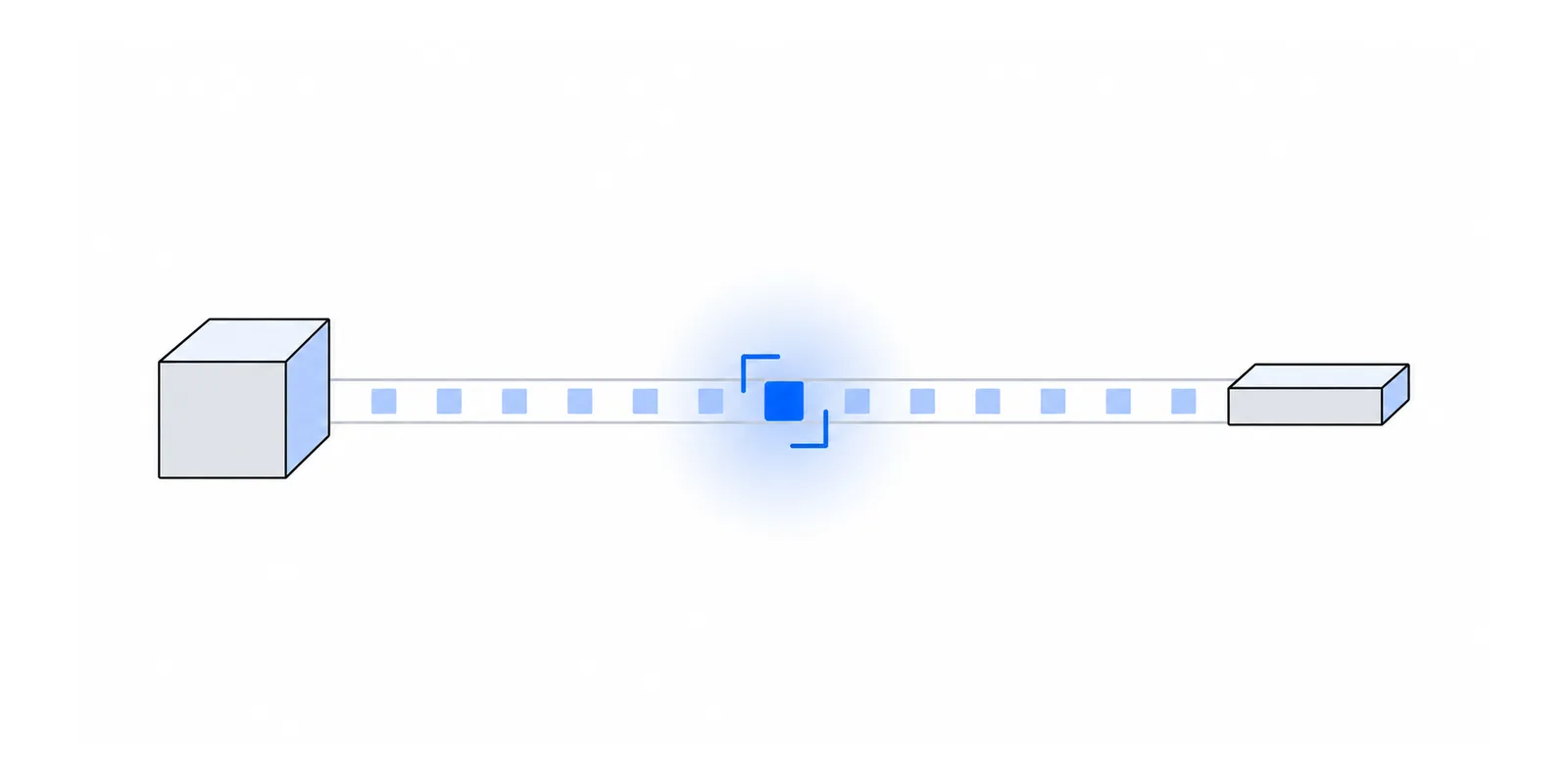
A proxy handles TLS in one of two ways. In passthrough, the TLS session runs from your client to the destination server, and the proxy copies encrypted bytes in both directions. In termination, the proxy completes a TLS handshake with your client using a certificate it generated, decrypts everything, and opens a second TLS session to the destination.
HTTP CONNECT is the standard way to ask for passthrough. RFC 9110 says that once the tunnel is up, the proxy restricts itself to blind forwarding of data, in both directions, until the tunnel closes. SOCKS5 behaves the same way for any TCP stream. The byte-level exchange is covered in how an HTTP CONNECT proxy works.
| Question | Passthrough | Termination |
|---|---|---|
| Who holds the session keys | Your client and the destination only | The proxy, for both sessions |
| Certificate your client sees | The destination's real certificate | One the proxy signed with its own CA |
| Proxy reads URLs, headers, bodies | No | Yes |
| Proxy can change requests | No. Altered bytes fail the TLS integrity check | Yes |
| Extra CA in your trust store | Not needed | Required, or the handshake fails |
| Client certificates (mTLS) | Reach the destination | End at the proxy |
There is a third arrangement worth naming. An https:// proxy URL means your client opens TLS to the proxy first and sends the CONNECT request inside it. That outer session terminates at the proxy, which is the point, because it protects your proxy credentials. Your own TLS session to the destination still runs inside it, untouched. HTTPS proxy endpoints covers which clients support this.
What a passthrough proxy can see
Zero-knowledge describes the content, not the connection. A passthrough proxy still has to know where to send your bytes, and it sits on the network path, so it learns a fair amount.
- Your client's IP address, from the TCP connection it accepted.
- The destination host and port. A CONNECT request names them in plain text, such as
CONNECT api.example.com:443, and a SOCKS5 request does the same. - The destination IP, because the proxy usually resolves the name and opens the upstream connection itself.
- The SNI. RFC 6066 puts the server's DNS host name in the ClientHello, which travels unencrypted. It is almost always the same name as the CONNECT target.
- The rest of the ClientHello, which includes the TLS versions and cipher suites your client offers and its ALPN list (
h2,http/1.1). Together these fingerprint your TLS library. - Bytes sent and received, connection duration, and the size and timing of each TLS record.
- Which credential opened the tunnel, if the proxy requires authentication.
TLS version matters for one more item. In TLS 1.2 the server's certificate crosses the wire in clear text, so a passthrough proxy can read it. RFC 8446 changed that for TLS 1.3, where all handshake messages after the ServerHello are encrypted, including the certificate and the server's ALPN choice. (TLS 1.3 has since been revised as RFC 9846.)
What stays hidden, and the exceptions
Inside a passthrough tunnel the proxy cannot read the HTTP method, the path, the query string, any request or response header, cookies, the body, or the response status. Your Authorization: Bearer header and the API key in your JSON body are ciphertext to it. If the proxy flips a byte, the record fails authentication and the connection errors out. It can drop, delay, or reset a connection. It cannot forge one.
That guarantee holds only when the bytes are TLS and your client checks them. Four cases break it.
- Plain
http://destinations. The client sends the whole request to the proxy in absolute form, such asGET http://example.com/, so the proxy reads everything. There is no tunnel to pass through. - Non-TLS TCP through SOCKS5 or CONNECT. A Postgres connection without TLS, or Redis on port 6379 with no TLS, is plain text to any hop on the path. Turn on the database's own TLS. See database connections through SOCKS5.
- A client that skips certificate checks.
verify=Falsein Python requests,NODE_TLS_REJECT_UNAUTHORIZED=0in Node,InsecureSkipVerify: truein Go, andcurl -kall let a terminating proxy impersonate the server without an error. - Traffic analysis. RFC 8446 Appendix E.3 says TLS is susceptible to traffic analysis based on the length and timing of encrypted packets. TLS 1.3 lets endpoints pad records to blunt this. A tunnel to a payouts API that opens at 09:15 every weekday and uploads the same number of bytes tells an observer something, even with no plaintext.
Encrypted Client Hello does not hide the destination from your proxy
Encrypted Client Hello, now RFC 9849, encrypts the real ClientHello, including the SNI and ALPN list, inside an outer ClientHello. The outer one carries a public name for the provider instead of the real host. That hides the host name from on-path observers, such as your ISP or a hotel network.
It does not hide anything from a forward proxy you chose. Your client already told the proxy the host and port in the CONNECT line or the SOCKS5 request, before any TLS started. The proxy then resolved that name to connect upstream. ECH protects the SNI field. The CONNECT target sits outside TLS entirely.
SOCKS5 gives you one small lever. With socks5://, many clients resolve the name locally and send only an IP, so the request no longer names the host, although the SNI in the ClientHello usually still does. With socks5h:// the proxy resolves the name. SOCKS5 vs socks5h covers which clients do what. For an allowlisted API the destination is no secret anyway, since the partner already knows who calls them.
A 70-line proxy that logs everything it can see
The quickest way to believe the list above is to run a passthrough proxy that tries its hardest to log. This one accepts CONNECT, relays bytes, parses the SNI from the first chunk the client sends, and prints one JSON line per tunnel. It uses only the Python standard library.
# A CONNECT proxy that logs everything a passthrough proxy can see.
# Python 3.10+. Run: python3 peek_proxy.py
import asyncio, json, struct, time

def sni_from_client_hello(data: bytes) -> str | None:
    """Return the server_name from a TLS ClientHello, or None."""
    try:
        if data[0] != 0x16 or data[5] != 0x01:  # handshake record, ClientHello
            return None
        p = 9 + 2 + 32                          # headers, version, random
        p += 1 + data[p]                        # session id
        p += 2 + struct.unpack(">H", data[p:p + 2])[0]  # cipher suites
        p += 1 + data[p]                        # compression methods
        end = p + 2 + struct.unpack(">H", data[p:p + 2])[0]
        p += 2
        while p + 4 <= end:
            ext_type, ext_len = struct.unpack(">HH", data[p:p + 4])
            p += 4
            if ext_type == 0:                   # server_name extension
                name_len = struct.unpack(">H", data[p + 3:p + 5])[0]
                return data[p + 5:p + 5 + name_len].decode("ascii")
            p += ext_len
    except (IndexError, struct.error, UnicodeDecodeError):
        pass
    return None

async def pipe(reader, writer, counter, key):
    try:
        while chunk := await reader.read(65536):
            counter[key] += len(chunk)
            writer.write(chunk)
            await writer.drain()
    finally:
        writer.close()

async def handle(client_r, client_w):
    started = time.monotonic()
    head = await client_r.readuntil(b"\r\n\r\n")
    method, target, _ = head.split(b"\r\n")[0].decode().split(" ")
    if method != "CONNECT":
        client_w.write(b"HTTP/1.1 405 Method Not Allowed\r\n\r\n")
        client_w.close()
        return
    host, port = target.rsplit(":", 1)
    up_r, up_w = await asyncio.open_connection(host, int(port))
    client_w.write(b"HTTP/1.1 200 Connection Established\r\n\r\n")
    await client_w.drain()

    first = await client_r.read(65536)          # the ClientHello, in the clear
    up_w.write(first)
    counts = {"up": len(first), "down": 0}
    await asyncio.gather(
        pipe(client_r, up_w, counts, "up"),
        pipe(up_r, client_w, counts, "down"),
        return_exceptions=True,
    )
    print(json.dumps({
        "client": client_w.get_extra_info("peername")[0],
        "connect": target,
        "dest_ip": up_w.get_extra_info("peername")[0],
        "sni": sni_from_client_hello(first),
        "bytes_up": counts["up"],
        "bytes_down": counts["down"],
        "duration_ms": round((time.monotonic() - started) * 1000),
    }), flush=True)

async def main():
    server = await asyncio.start_server(handle, "127.0.0.1", 8888)
    async with server:
        await server.serve_forever()

asyncio.run(main())
Start it, then send a request with a secret in the path and the query string.
curl -s -o /dev/null -x http://127.0.0.1:8888 \
  "https://example.com/accounts/4711/statement?token=abc123"

# peek_proxy.py prints:
{"client": "127.0.0.1", "connect": "example.com:443", "dest_ip": "172.66.147.243", "sni": "example.com", "bytes_up": 1947, "bytes_down": 6424, "duration_ms": 26}
The account number, the path, and token=abc123 appear nowhere in the output, and no change to this code can make them appear. They exist only inside the TLS session, and the keys for it never leave curl and the server. The fields it did print are the same kind of metadata any passthrough proxy service can log. The demo is for learning only. It has no authentication, timeouts, or limits. For what a production version needs, see building a static IP proxy in Rust.
How to verify a proxy is not decrypting your traffic
You do not have to take a vendor's word for passthrough. A terminating proxy has to present a certificate it made, and your client can see that. Run these checks with the same proxy URL your app uses.
- 1Read the issuer in curl -vRun
curl -vthrough the proxy and find theServer certificateblock. The issuer should be a public CA you recognise, the same one you see without the proxy. A terminating proxy shows its own CA there. mitmproxy's docs describe the method, which generates interception certificates on the fly and only works once the client trusts mitmproxy's CA. - 2Compare fingerprints with and without the proxyFetch the leaf certificate directly and through the proxy, and compare the SHA-256 fingerprints.
openssl s_client -proxysends a CONNECT for you, as the OpenSSL manual documents. The manual warns that credentials passed with-proxy_userare easy to sniff, so use a short-lived test token if the proxy needs one. Large CDNs can serve different certificates from different edges, so if the fingerprints differ, compare the issuer and the subject before you conclude anything. - 3Pin the public key
curl --pinnedpubkeytakes base64 SHA-256 hashes prefixed withsha256//, per the curl manual. If anything in the path swaps the certificate, curl exits with code 90 and printsSSL: public key does not match pinned public key. Pins break when the server rotates its key, so use this as a test, not in production code without a backup pin. - 4Audit the client sideCheck that your trust store holds no CA you did not add on purpose, and search your code for the verification bypasses listed above. A static IP proxy has no reason to ask you to install a CA certificate. If one does, it is terminating.
# The issuer should match a direct request to the same host.
curl -sv -o /dev/null --proxy "$PROXY_URL" https://api.github.com/zen 2>&1 \
  | grep -E "> CONNECT|subject:|issuer:"
# > CONNECT api.github.com:443 HTTP/1.1
# *   subject: CN=*.github.com
# *   issuer: C=GB; O=Sectigo Limited; CN=Sectigo Public Server Authentication CA DV E36
H=api.github.com
# Direct
openssl s_client -connect $H:443 -servername $H </dev/null 2>/dev/null \
| openssl x509 -noout -fingerprint -sha256
# Through a plain HTTP CONNECT proxy
openssl s_client -proxy proxy.example.com:8080 \
-connect $H:443 -servername $H </dev/null 2>/dev/null \
| openssl x509 -noout -fingerprint -sha256H=api.github.com
# Hash the server's public key, fetched directly.
PIN=$(openssl s_client -connect $H:443 -servername $H </dev/null 2>/dev/null \
| openssl x509 -pubkey -noout \
| openssl pkey -pubin -outform der \
| openssl dgst -sha256 -binary | openssl enc -base64)
# Fails with exit code 90 if the proxy presents a different key.
curl -sS -o /dev/null --proxy "$PROXY_URL" \
--pinnedpubkey "sha256//$PIN" https://$H/zen && echo "key matches"If any check fails, proxy error codes explained helps you tell a TLS problem from an authentication or routing problem.
When termination is the right tool
Termination is not wrong. It is the right design when someone legitimately needs the plaintext.
- Reverse proxies and load balancers in front of your own servers. You own both ends and want routing by path, header rewrites, or a WAF.
- Corporate inspection, where the company installs its CA on managed laptops and accepts the trade.
- Debugging. mitmproxy or a similar tool on your own machine shows exactly what your code sends.
A static egress IP is not one of these. The partner allowlists your source address, and a passthrough proxy supplies that without reading a byte. Termination there would add risk and buy nothing. The proxy would hold plaintext bank and payment traffic, so a breach of it becomes a breach of every customer. It would break certificate pinning. It would also break mutual TLS, which some bank and partner APIs require. Your client certificate would authenticate you to the proxy, not to the partner, and the proxy would need its own copy of your key to go further.
An IP allowlist and end-to-end TLS work as layers that do not depend on each other. IP allowlists in a zero trust world covers how they combine with mTLS and signed requests.
Doing this with Fixedmark
Fixedmark is a static IP proxy in early access. It passes TLS through. Per the security page, HTTP CONNECT and SOCKS5 relay your TLS connection byte for byte, and the proxy never holds your destination's certificate keys. It cannot read requests, responses, headers, or bodies, and no content is logged on any plan.
Here is what it does keep, in the same terms as the list above. The security page lists only connection metadata, never content: time, your client IP, destination host and port, TLS SNI, bytes sent and received, the egress IP used, and the result. A row in your connection logs holds at, direction, dest_host, dest_port, sni (when the client sent one), bytes_up, bytes_down, duration_ms, egress_ip, result, reason, and a credential_id that names the credential, never the token. Rows hold metadata only, are kept for your plan's retention, and are then deleted. Fixedmark's operational logs keep connection metadata for 30 days to run and secure the service.
- The proxy URL is
https://on port 443, and SOCKS5 over TLS is on port 1443. That outer TLS ends at Fixedmark and protects your token. Your own TLS session runs inside it, unchanged. - Ports 8080 (HTTP) and 1080 (SOCKS5) are plain. They exist for clients that cannot open TLS to a proxy, and they send the token in clear text. Your HTTPS traffic inside stays encrypted either way.
- An
http://destination is forwarded as a plain request, as with any proxy. Use HTTPS destinations. - Each token can carry a destination allowlist, so a leaked token reaches only the hosts you named.
The checks above apply the same way. Set PROXY_URL to your Fixedmark proxy URL, run the curl and key pin tabs against your partner's host, and confirm the issuer is the partner's CA. Then confirm the egress address with verify your egress IP. The concepts page explains the two TLS layers in more detail.
Sources
Checked November 2026. Confirm current details on the vendor's site before you decide. Prices and limits change.
- RFC 9110: HTTP Semantics, CONNECT
- RFC 8446: The TLS Protocol Version 1.3
- RFC 9846: TLS 1.3 (revised)
- RFC 6066: TLS extensions, Server Name Indication
- RFC 9849: TLS Encrypted Client Hello
- mitmproxy: How mitmproxy works
- curl: man page, --pinnedpubkey
- OpenSSL: openssl-s_client manual
- PostgreSQL: Message flow, SSL session encryption