On this page
Why proxy only some calls
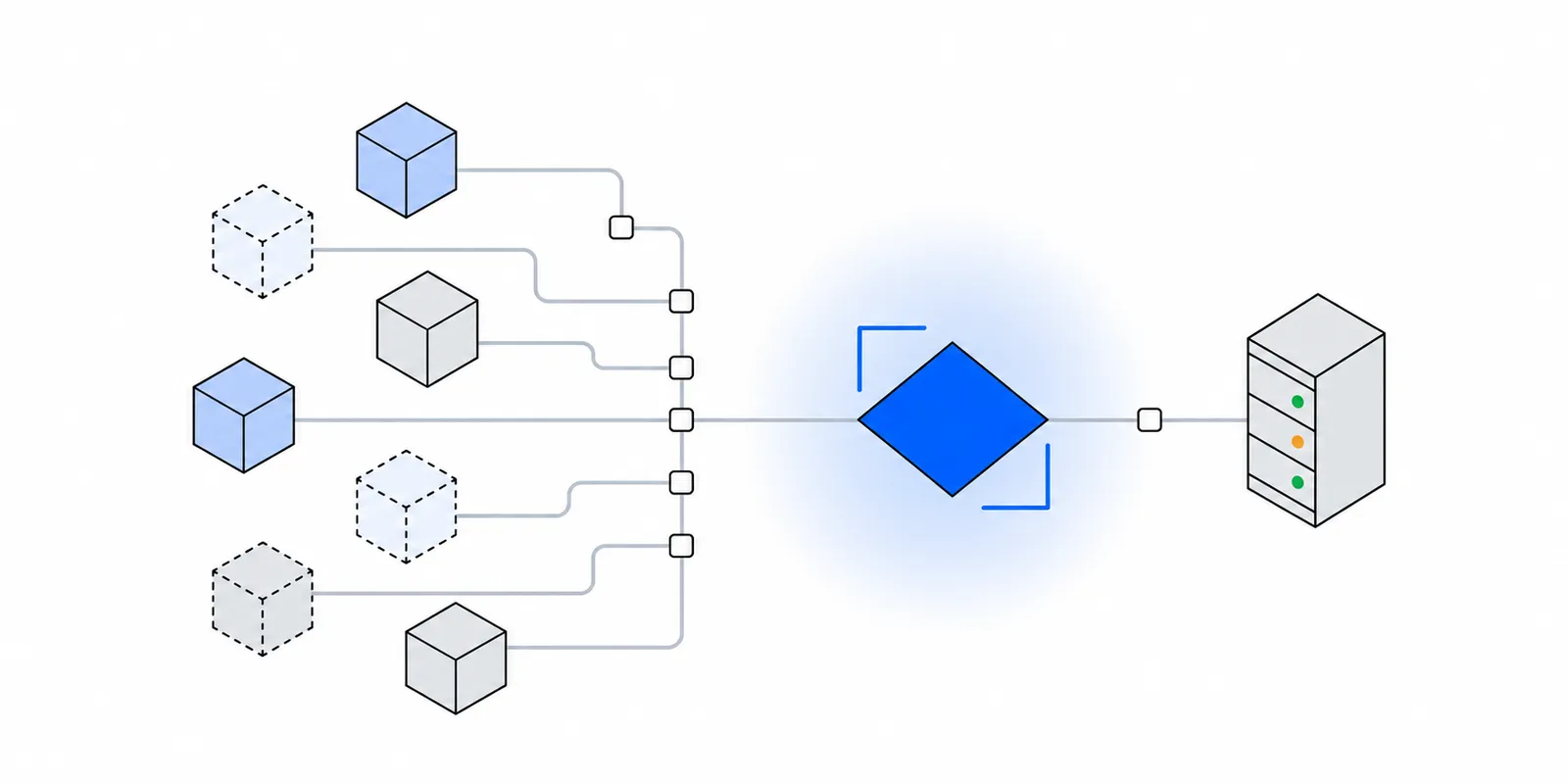
A typical Next.js app on Vercel makes many outbound calls. It talks to a database over HTTP, an auth provider, an analytics or error tracker, maybe an LLM API. Usually one destination checks your source IP. It might be a bank's payout API, a broker's order API, or a customer's firewall. Only that one needs a fixed address.
Vercel Functions leave from a shared, changing pool of addresses, so you cannot allowlist them directly. The background is in why serverless egress IPs change. Vercel's own fix is Static IPs. It costs $100 per project per month on Pro and Enterprise, plus Private Data Transfer. It routes all outbound traffic from the project's functions through a shared IP pair. Build traffic uses dynamic IPs unless you turn on Use for builds, and Routing Middleware never uses the static IPs.
A proxy you call from code works the other way round. You pick which requests use it. That has three practical benefits:
- Latency. Only the allowlisted call pays for the extra hop. Your database and auth calls stay on the shortest path.
- Blast radius. If the proxy is slow or down, only the partner call fails. Sign-in, pages, and your database keep working.
- Cost and logs. Proxy plans usually meter traffic. Telemetry and model responses can be large, and they have no reason to go through it. The proxy's logs then show only the hosts that need a fixed IP.
How a per-request dispatcher works
Node's fetch is built on undici. Every request goes through a dispatcher, which owns the connection pool. By default that is a plain Agent that connects straight to the destination. undici's fetch accepts a dispatcher option, and the ProxyAgent docs show passing one per request.
A ProxyAgent connects to the proxy instead. For an https: target it sends CONNECT host:443 with a Proxy-Authorization header, waits for a 200, and then does the TLS handshake with the destination inside that tunnel. The proxy forwards encrypted bytes. It never sees your request headers, your partner API key, or the response body. HTTP CONNECT proxies explained walks through the bytes.
A few details from the undici docs matter here. If the proxy URL is https://, undici opens TLS to the proxy first, so your proxy credentials travel inside that TLS session too. Credentials in the URL are URL-decoded before undici base64-encodes them. A password with a / or @ in it must be percent-encoded in the env var. You cannot set proxy-authorization on an individual request. undici throws if you try, so credentials belong in the constructor or the URL.
Use undici's fetch, not the global one
Node bundles its own copy of undici behind the global fetch, and that copy is usually older than the one on npm. On our machine, Node 26.5 reported a bundled undici of 8.7.0 while npm's latest was 8.12.4. Passing an npm ProxyAgent to the global fetch worked in our test on plain Node 26. A version gap between the two copies can still break it, so import fetch and ProxyAgent from the same undici package.
In Next.js there is a second reason. Next.js extends the global fetch with its data cache, and a cached request matches on URL, method, headers, and body. The dispatcher is not part of that match. Next's patched fetch does pass extra init fields through when the input is a URL string. That stops working when you pass a Request object, because those fields are rebuilt from a fixed list. undici's own fetch skips all of this. The partner call is never cached or deduplicated, and that is almost always what you want for orders, payouts, and other writes.
One helper for every fixed-IP call
Put the proxy in one module. Route handlers, server actions, and Server Components import the helper, and nothing else in the app knows a proxy exists.
// npm install undici server-only   (undici 8 needs Node.js 22.19+)
import "server-only";
import { fetch, ProxyAgent, type RequestInit } from "undici";

// One agent per process. Concurrent requests on a warm instance
// share its pooled tunnels to the proxy.
let agent: ProxyAgent | undefined;

function proxyAgent(): ProxyAgent {
  if (agent) return agent;
  const url = process.env.FIXEDMARK_PROXY_URL;
  if (!url) throw new Error("FIXEDMARK_PROXY_URL is not set");
  agent = new ProxyAgent(url);
  return agent;
}

// The only hosts that need the fixed IP. Everything else goes direct.
const FIXED_IP_HOSTS = new Set(["api.partner.example"]);

export async function fixedIpFetch(url: string | URL, init: RequestInit = {}) {
  const target = new URL(url);
  if (!FIXED_IP_HOSTS.has(target.host)) {
    throw new Error(`${target.host} is not on the fixed-IP list`);
  }
  return fetch(target, {
    ...init,
    dispatcher: proxyAgent(),
    signal: init.signal ?? AbortSignal.timeout(15_000),
  });
}
Each line is there for a reason:
server-onlymakes the build fail if a Client Component imports the module. The proxy URL is a credential and must never reach the browser bundle.- The agent is created lazily, on the first call. A missing env var then fails the request that needs it with a clear message. It does not fail
next buildfor every route that happens to import the file. - There is exactly one agent. Creating a
ProxyAgentper request opens a new TLS session to the proxy every time and throws the connection pool away. On Vercel with Fluid compute, one instance handles several invocations at once, so a module-scope agent is shared and reused across them. - The host list keeps the helper honest. Someone will eventually reach for
fixedIpFetchfor a call that does not need it. The list turns that into an error in review instead of an unseen cost. - The timeout matters because a destination that silently drops packets from IPs it does not allow looks like a hang, not an error.
AbortSignal.timeoutturns that into a failure you can log.
We ran this helper in a scratch Next.js 16.4 app with undici 8.12 against a local CONNECT proxy. The proxy logged a CONNECT only for the listed host. A plain fetch to another host in the same route handler went direct.
Route handlers and server actions
In a route handler, call the helper, check the status, and build your own response. Do not pass the partner's response object straight back. That would forward its headers and status to the browser, and you lose control over what the client sees when the partner fails.
import { fixedIpFetch } from "@/lib/fixed-ip-fetch";

export async function POST(request: Request) {
  // Authenticate the caller and validate the body before this point.
  const order = await request.json();

  const res = await fixedIpFetch("https://api.partner.example/v1/orders", {
    method: "POST",
    headers: {
      "content-type": "application/json",
      authorization: `Bearer ${process.env.PARTNER_API_KEY}`,
    },
    body: JSON.stringify(order),
  });

  if (!res.ok) {
    console.error("partner order failed", res.status);
    return Response.json({ error: "partner_unavailable" }, { status: 502 });
  }
  const data = (await res.json()) as { id: string };
  return Response.json({ id: data.id });
}
Server actions follow the same pattern with one catch. A file that starts with "use server" may only export async functions. Next.js rejects any other export, because each export becomes an endpoint the client can call. The agent therefore cannot live in the actions file. Keep it in lib/fixed-ip-fetch.ts and import the helper.
"use server";

import { fixedIpFetch } from "@/lib/fixed-ip-fetch";

export async function placePayout(formData: FormData) {
  // Check the session here. A server action is a public POST endpoint.
  const res = await fixedIpFetch("https://api.partner.example/v1/payouts", {
    method: "POST",
    headers: {
      "content-type": "application/json",
      authorization: `Bearer ${process.env.PARTNER_API_KEY}`,
    },
    body: JSON.stringify({ amount: Number(formData.get("amount")) }),
  });

  if (!res.ok) return { ok: false as const, status: res.status };
  const data = (await res.json()) as { id: string };
  return { ok: true as const, id: data.id };
}
Return only what the UI needs. The return value of a server action is serialized and sent to the browser, so never return the partner's raw response.
Server Components and build-time calls
A Server Component can call the helper too, but watch for prerendering. If nothing on the route reads cookies, headers, or another request-time API, Next.js renders the page once during next build. Calling undici's fetch does not make the route dynamic on its own.
We confirmed this in the scratch app. With no request-time API, the page was marked static, and our proxy logged the partner call during next build. With the env var unset, the build failed on that page. On Vercel, the build runs on build infrastructure, not in your functions. A partner that sees a build-time call sees an IP that is not on its list, unless the call goes through the proxy. Vercel's Static IPs page says the same about its own feature: builds use dynamic IPs unless you opt in.
If the call should happen per request, say so with connection():
import { connection } from "next/server";
import { fixedIpFetch } from "@/lib/fixed-ip-fetch";

export default async function BalancePage() {
  await connection(); // render per request, never during next build
  const res = await fixedIpFetch("https://api.partner.example/v1/balance");
  if (!res.ok) return <p>Balance is unavailable right now.</p>;
  const { available } = (await res.json()) as { available: number };
  return <p>Available: {available}</p>;
}
With connection() in place the build log showed the route as dynamic, and the proxy saw no traffic until the first real request.
Why a global proxy agent is risky
The one-line fix people reach for is a global dispatcher, often set in instrumentation.ts, whose register function runs once when a server instance starts. It works, but it proxies far more than you meant to.
| Approach | What it routes | Main risk |
|---|---|---|
setGlobalDispatcher(new ProxyAgent(url)) | Every undici fetch and the global fetch in the process | All outbound HTTP depends on the proxy |
EnvHttpProxyAgent with NO_PROXY | Everything except hosts you list | A new dependency's host is proxied by default |
NODE_USE_ENV_PROXY=1 with HTTPS_PROXY | Global fetch and http/https via the global agent | Same as above, plus the feature is still in active development |
| Swapping the global dispatcher around one call | Whatever else runs at that moment | Concurrent requests on one instance race |
Calling setGlobalDispatcher from the npm package changes the global fetch too. undici stores the dispatcher under a shared Symbol.for key on globalThis (source). Node's bundled copy reads the same key. We saw this in testing. After one setGlobalDispatcher call, a plain globalThis.fetch to an unrelated host showed up as a CONNECT in the proxy log. Your database's HTTP driver, your auth library, your error tracker, and your LLM SDK all go through the proxy from then on.
The NO_PROXY approach inverts the safe default. It is a denylist. Every host you forgot is proxied, and the list drifts each time a package adds a new endpoint. A fixed IP is a short allowlist of partner hosts, so the code should be an allowlist too.
Swapping the dispatcher in and out around a single call looks like a clever middle ground. It is the worst option on Vercel. Fluid compute runs several invocations in one process, so another request's fetch can start while your swap is in effect. Node's docs for http.setGlobalProxyFromEnv warn you to call it before any requests are made and not in the middle of requests, for this reason. A per-request dispatcher has no shared state to race on.
Sometimes you cannot pass a dispatcher, for example when a third-party SDK calls the global fetch internally. In that case, first check whether the SDK accepts a custom fetch function or an HTTP agent. Many do, and the Node.js setup page shows the agent pattern. Only if it accepts neither should you consider a global hook, and then scope it to that SDK's hosts.
Edge runtime and proxy.ts
The Edge runtime's fetch has no proxy setting and cannot load undici. Next.js now lists runtime = 'edge' as deprecated, and Node.js is the default. If a route that calls the partner still exports runtime = 'edge', remove that export. With Cache Components enabled, Next.js also asks you to remove runtime = 'nodejs', so the fix is to delete the line, not to change it. Edge runtimes and outbound proxies covers what you can do from Workers and other edge platforms.
Next.js 16 renamed middleware.ts to proxy.ts. The name is about intercepting incoming requests, and it has nothing to do with outbound HTTP proxies. It now runs on Node.js by default, so undici would load there, but it runs before every matched route. A partner call in it would hit the partner on every page view. Keep fixed-IP calls in route handlers, server actions, and Server Components.
Configure and verify
- 1Store the proxy URL as a server-only variableUse a name without the
NEXT_PUBLIC_prefix. Next.js inlines NEXT_PUBLIC_ values into the browser bundle at build time, and other variables stay on the server. On Vercel, runvercel env add FIXEDMARK_PROXY_URL productionand repeat forpreviewif previews call the partner. Redeploy so functions pick it up. - 2Percent-encode the credentialsundici URL-decodes the username and password from the proxy URL. Percent-encode reserved characters in the token, such as
/as%2Fand@as%40. A raw/in the password ends the host part of the URL early. - 3Keep regions alignedPick a proxy region near your function region, for example Mumbai for Vercel's
bom1. A function iniad1that proxies through Mumbai crosses an ocean twice per request. - 4Check the egress IP from deployed codeAdd the IP echo host to
FIXED_IP_HOSTSfor a moment, deploy a temporary route like the one below, and compare the two addresses. Then remove both. The egress IP guide has more checks.
import { fixedIpFetch } from "@/lib/fixed-ip-fetch";

// Needs "fixedmark.com" in FIXED_IP_HOSTS while you test. Delete afterwards.
export async function GET() {
  const proxied = await fixedIpFetch("https://fixedmark.com/api/ip");
  const direct = await fetch("https://fixedmark.com/api/ip", { cache: "no-store" });
  return Response.json({
    proxied: (await proxied.text()).trim(),
    direct: (await direct.text()).trim(),
  });
}
proxied should always be one of the two IPs you gave the partner. direct should be some Vercel address that changes over time. If both are the same, the helper is not being used on that path. If proxied errors with a 407, the proxy rejected the credentials. Proxy error codes explained covers that and the other failures.
fetch negotiates HTTP/2 with servers that support it, and the VERCEL_FETCH_DISABLE_H2 variable switches it back to HTTP/1.1. Per Vercel's Node.js docs, a dispatcher you pass to fetch takes precedence over that setting, so the proxied call follows your agent's settings.Doing this with Fixedmark
Fixedmark gives an app a pair of static outbound IPs (dedicated on Pro and above) behind one proxy URL, in the form https://APP_ID:TOKEN@mum.egress.fixedmark.com:443. The helper above works with it unchanged. It speaks HTTP CONNECT over TLS on port 443, so the proxy credentials are encrypted as well as the request. The plain endpoints on port 8080 (HTTP) and 1080 (SOCKS5) are for clients that cannot do TLS, and they send the token in cleartext, so keep Node on 443. TLS to the partner passes through end to end and is never decrypted. Allowlist both IPs of the pair with the partner once.
The Vercel integration guide covers the Marketplace install. It writes the URL into your project as HTTPS_PROXY. Node.js ignores that variable unless NODE_USE_ENV_PROXY is set, so leave that unset and read the variable in your helper, or copy the value into FIXEDMARK_PROXY_URL. One proxy URL can serve several Vercel projects and other platforms. For more on that tradeoff, see Fixedmark vs Vercel Static IPs.
Fixedmark is in early access and not generally available yet. Planned launch prices are on the pricing page, and the Node.js setup page covers axios, the https module, and SOCKS5.
Sources
Checked November 2026. Confirm current details on the vendor's site before you decide. Prices and limits change.
- undici: ProxyAgent API
- undici source: lib/global.js (global dispatcher symbol)
- Next.js docs: fetch
- Next.js source: patch-fetch.ts
- Next.js docs: Invalid "use server" value
- Next.js docs: proxy.js
- Next.js docs: runtime route segment config
- Next.js docs: Environment variables
- Vercel docs: Fluid compute
- Vercel docs: Static IPs
- Vercel docs: Advanced Node.js usage
- Node.js docs: HTTP, built-in proxy support