On this page
Why a webhook needs something public
A webhook is an HTTP POST that the provider sends to a URL you register. The provider is the client and your receiver is the server. So the provider must be able to reach your hostname. Stripe's webhook docs say registered endpoints must be publicly accessible HTTPS URLs. Razorpay accepts webhook URLs on ports 80 and 443 only.
A lot of the code that wants those events cannot take an inbound connection. It runs in a private VPC subnet, on an office server behind NAT, or on a laptop on a Jio or Airtel line behind carrier-grade NAT. Expose a local service behind CGNAT explains why port forwarding fails on that last one.
So the real choice is how small the public piece is, who runs it, and what happens to events while your private side is down. The patterns below differ most on that last point.
Five ways to get webhooks into a private network
| Pattern | Public piece | Private side needs | While the private side is down |
|---|---|---|---|
| Outbound tunnel | A relay that sends each request down an agent's connection | Outbound 443, or the tunnel's port | Deliveries fail. You rely on the provider's retries |
| Public load balancer into a VPC | An internet-facing load balancer | A route from the balancer's subnets to the target | Deliveries fail. You rely on the provider's retries |
| Public relay plus a queue | A small function that verifies and enqueues | Outbound HTTPS to the queue's API | Events wait in the queue |
| Provider delivers to your cloud | None of yours. The provider writes to EventBridge or Pub/Sub | Outbound HTTPS to the queue's API | Events wait in the queue |
| Poll the provider's API | None | Outbound HTTPS to the provider | Nothing is lost while the API keeps history |
Outbound tunnel
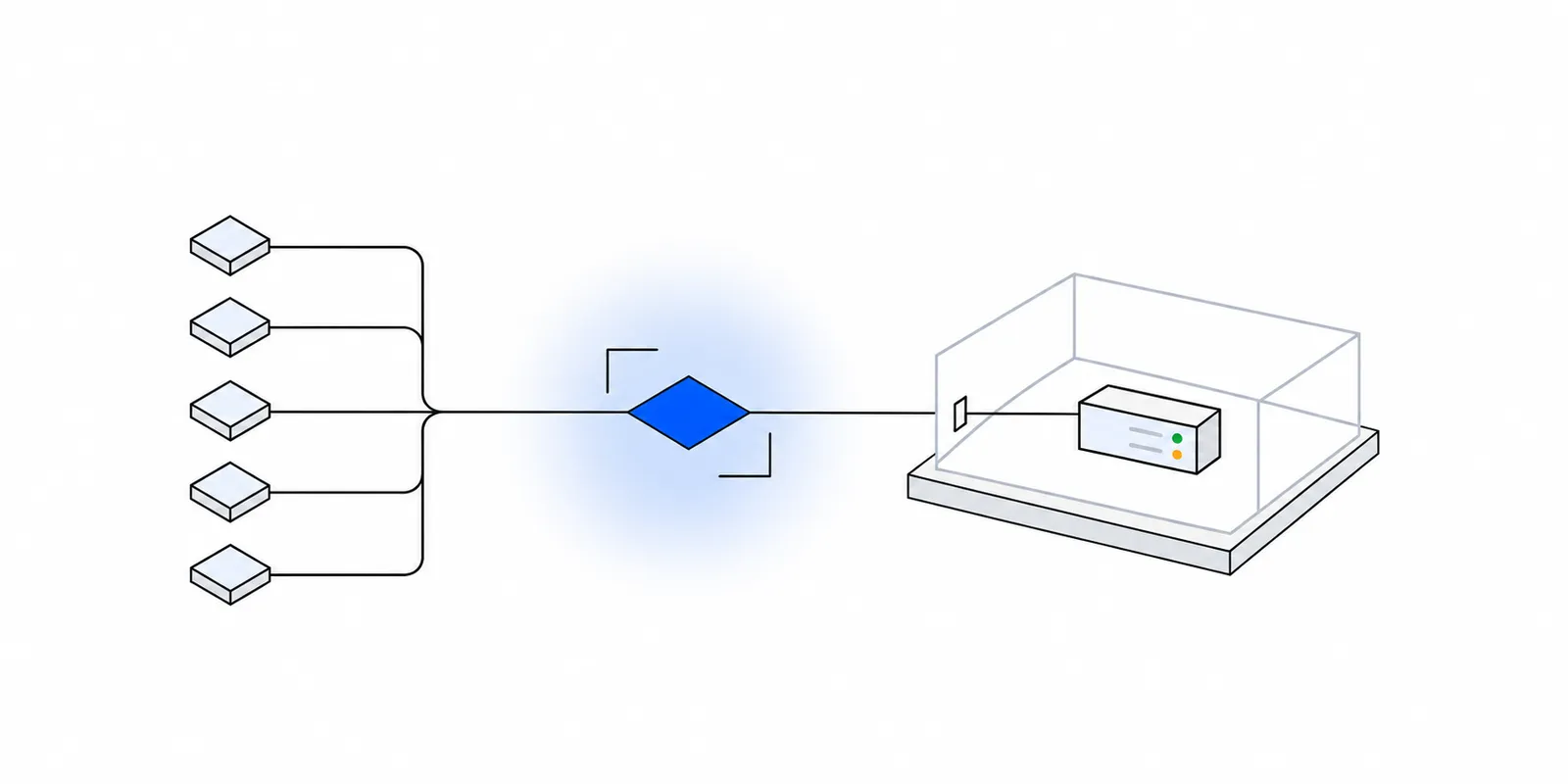
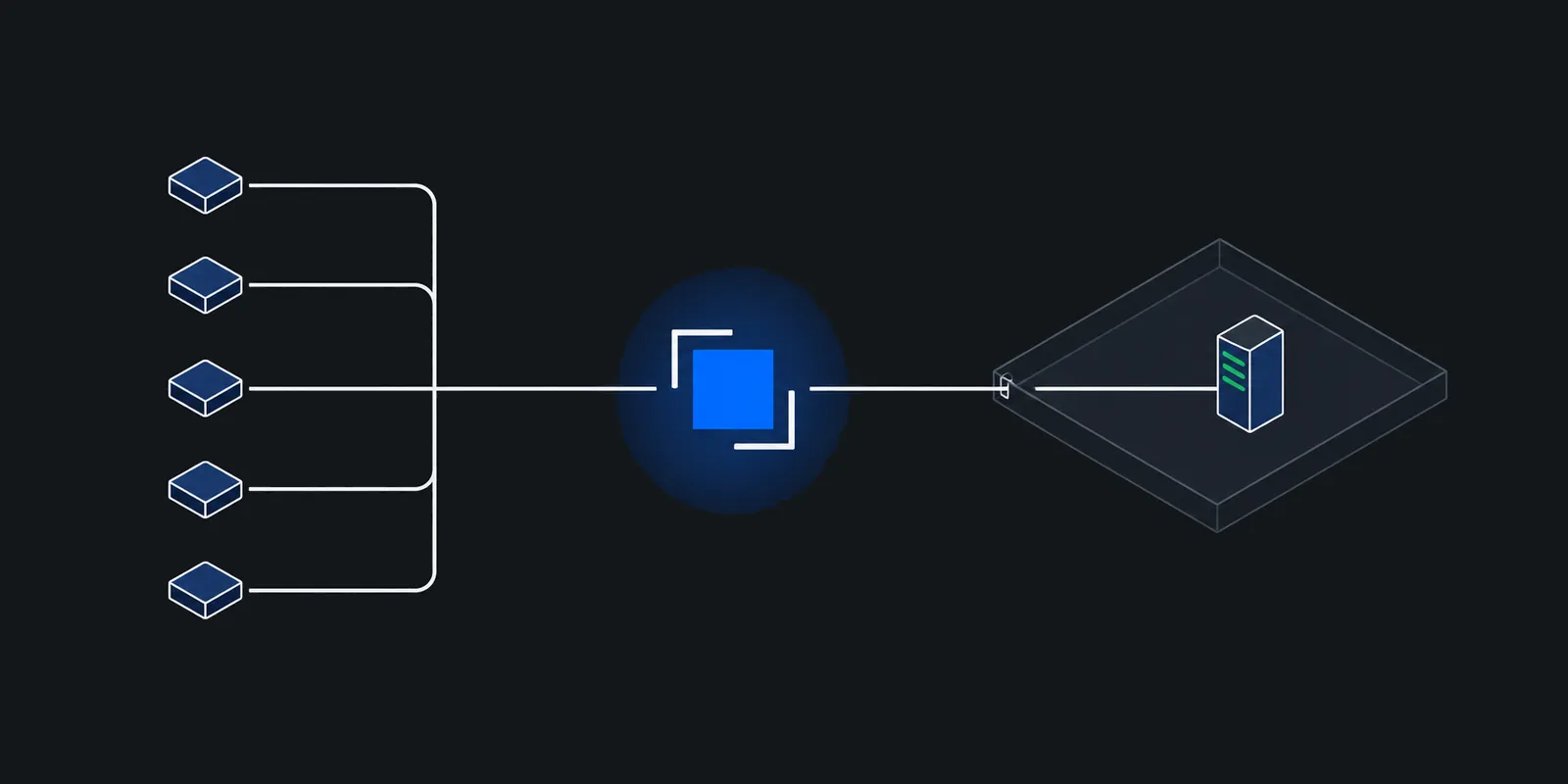
An agent next to your service dials out to a relay that has a public address and holds the connection open. The relay gives you a public hostname. Each POST to that hostname comes back down the open connection to a local port such as 127.0.0.1:8080. Cloudflare Tunnel, ngrok, and an SSH reverse forward to a VPS all work this way, and the CGNAT post compares them.
A tunnel is the smallest change, since your handler does not move. The cost is coupling. If the machine sleeps, reboots, or loses its link, deliveries fail. Also decide where TLS ends. A relay that terminates HTTPS can read every payload, and one that passes TLS through cannot. TLS passthrough covers what a passthrough hop still sees.
A public load balancer in front of a private subnet
If the service already runs in a cloud VPC, you may not need a tunnel. On AWS, an internet-facing load balancer's nodes have public addresses, and AWS's docs say both internet-facing and internal balancers reach targets on private IP addresses, so the targets need no public IP. Put the balancer in public subnets, register the private targets, forward only the webhook path, and restrict it to the provider's published sources, as payment webhook source IP allowlisting shows. Downtime couples you to retries, as with a tunnel.
A public relay plus a queue
Here the public piece does three things. It verifies the signature, writes the event to a durable queue, and answers 200. A worker on the private network pulls from the queue. Pulling is an outbound call, so the private side needs no inbound path at all.
On AWS this is a Lambda function URL or API Gateway in front of SQS. A worker in a private subnet reaches SQS through an interface VPC endpoint, which AWS says needs no internet gateway, NAT, or VPN. SQS keeps messages for 4 days by default and up to 14 days, and takes messages up to 1 MiB. On Google Cloud, a Cloud Run relay and a Pub/Sub pull subscription have the same shape, since in a pull subscription the subscriber starts each request.
Let the provider deliver to your cloud
Some providers skip your HTTP endpoint entirely. Stripe can send events to Amazon EventBridge or Azure Event Grid. Stripe creates a partner event source in your AWS account, you associate it with an event bus within 7 days, and a rule routes events to a target. SQS queues are a supported target. Shopify lets a subscription point at a URL, a Google Pub/Sub topic, or an EventBridge ARN, and recommends Pub/Sub. For Pub/Sub you grant Shopify's service account the Publisher role on your topic.
Trust then comes from your cloud's IAM, not from an HMAC. Stripe says you cannot manually resend events to EventBridge, and recommends creating an EventBridge archive before you process production events so you can replay them. Event types where Stripe waits for an answer, such as issuing_authorization.request, cannot use an EventBridge destination.
Poll the provider instead
Stripe's List events API returns events going back 30 days and filters by type, created, and delivery_success. A private job can page through it with no inbound path. Polling adds latency and API calls, so it works best as reconciliation beside push. Razorpay's best practices also suggest polling its payment APIs for business-critical flows, since webhooks may arrive out of order.
stripe listen --forward-to localhost:4242/webhook relays your Stripe events to a local port, and smee.io relays payloads to a local client over server-sent events. Neither is a production receiver.Pick by how long the receiver can be down
With a tunnel or a load balancer, your outage budget is the provider's retry schedule. Those schedules differ a lot, and some providers stop sending altogether when you run out.
| Provider | Answer within | Automatic retries | When retries run out |
|---|---|---|---|
| Stripe | Quickly, before any complex logic | Up to three days with exponential backoff in live mode. Three times over a few hours in a sandbox | Resend from the Dashboard for up to 15 days, or with the CLI for up to 30 days |
| Razorpay | 5 seconds | Exponential backoff for 24 hours after the event was created | The webhook is disabled and you get an alert email. Re-enable it in the Dashboard |
| Shopify | 5 seconds | Up to 8 times in 4 hours | If failures persist, the subscription is removed. Recreate it |
| GitHub | 10 seconds | None. GitHub does not redeliver failed deliveries automatically | Redeliver by hand or through the API, for deliveries from the past 3 days |
Retry details come from Stripe, Razorpay, Shopify, and GitHub on failed deliveries and redelivery.
Read those rows against your private side. A laptop that sleeps overnight loses GitHub deliveries outright and can lose a Shopify subscription. An office server on one ISP link that drops for a day exhausts Razorpay's window and gets its webhook disabled. If either is plausible, put a queue on the public side or use the provider's cloud delivery. Then only the queue's retention limits your downtime.
Whatever you pick, answer inside the timeout. GitHub and Stripe both tell you to queue the payload and process it asynchronously. A tunnel adds a hop, so a handler that does real work before replying times out first.
Verify signatures where the raw bytes survive
Each signature is an HMAC over the exact bytes of the body, often with a timestamp. Stripe signs the timestamp, a period, and the body. GitHub sends X-Hub-Signature-256 as sha256= followed by a hex HMAC of the body, and its validation guide warns that no proxy or load balancer may modify the payload or headers before you verify. The Standard Webhooks spec signs msg_id.timestamp.payload and sends it in webhook-signature, beside webhook-id and webhook-timestamp. Where you verify depends on the pattern.
- Tunnel or load balancer. Verify in your service, over the body as it arrived. Configure your framework to hand you raw bytes, and make sure nothing between the provider and your handler decompresses or re-encodes the body.
- Relay plus queue. Verify at the relay before you enqueue, so junk never reaches the queue. Then enqueue the body unchanged.
- Provider cloud delivery. There is no HMAC. Lock the bus or topic so only the provider's partner source or service account can publish to it.
Timestamps and queues do not mix
Timestamped signatures come with a recency check. Stripe's libraries default to 5 minutes, and DEFAULT_TOLERANCE is 300 in stripe-python's webhook module. Stripe generates a new timestamp and signature for every retry, so a delivery that arrives after your outage still passes at the edge. An event that then sits in your queue for an hour fails a 5 minute check at the worker.
stripe-python documents the split. WebhookSignature.verify_header is for validating a webhook quickly before you store it, and the *_without_verification methods are for parsing it later. Check recency once, at the edge. If you want the worker to re-check the HMAC too, carry the Stripe-Signature header as a message attribute and verify without a tolerance.
# Public piece: an AWS Lambda behind a function URL.
import base64
import json
import logging
import os

import boto3
import stripe

log = logging.getLogger()
log.setLevel(logging.INFO)
sqs = boto3.client("sqs")
QUEUE_URL = os.environ["QUEUE_URL"]
SECRET = os.environ["STRIPE_WEBHOOK_SECRET"]


def handler(event, context):
    body = event.get("body") or ""
    if event.get("isBase64Encoded"):
        body = base64.b64decode(body).decode("utf-8")
    signature = (event.get("headers") or {}).get("stripe-signature")
    try:
        # HMAC check plus recency. Each Stripe retry carries a fresh timestamp.
        stripe.WebhookSignature.verify_header(body, signature, SECRET, tolerance=300)
    except stripe.SignatureVerificationError as err:
        log.warning("rejected delivery: %s", err)
        return {"statusCode": 400}
    event_id = json.loads(body)["id"]
    # If this raises, the function fails, Stripe sees a non-2xx, and retries.
    sqs.send_message(QueueUrl=QUEUE_URL, MessageBody=body)
    log.info("queued %s", event_id)
    return {"statusCode": 200}
# Private piece: runs inside the VPC or office network.
# It needs outbound HTTPS to SQS (or an SQS interface endpoint) and nothing else.
import json
import logging
import os
import boto3
import psycopg
logging.basicConfig(level=logging.INFO)
log = logging.getLogger("worker")
sqs = boto3.client("sqs")
QUEUE_URL = os.environ["QUEUE_URL"]
INSERT_INBOX = """
INSERT INTO webhook_inbox (provider, event_id, event_type, payload, processed_at)
VALUES ('stripe', %s, %s, %s, now())
ON CONFLICT (provider, event_id) DO NOTHING
"""
def apply(conn, event):
"""Your business change. It commits with the inbox row or not at all."""
if event["type"] == "invoice.paid":
invoice = event["data"]["object"]
conn.execute(
"UPDATE invoices SET status = 'paid' WHERE stripe_id = %s",
(invoice["id"],),
)
def handle(conn, msg):
event = json.loads(msg["Body"])
with conn.transaction():
cur = conn.execute(INSERT_INBOX, (event["id"], event["type"], msg["Body"]))
if cur.rowcount == 1:
apply(conn, event)
else:
log.info("duplicate %s, skipping", event["id"])
def main():
with psycopg.connect(os.environ["DATABASE_URL"], autocommit=True) as conn:
while True:
resp = sqs.receive_message(
QueueUrl=QUEUE_URL, MaxNumberOfMessages=10, WaitTimeSeconds=20
)
for msg in resp.get("Messages", []):
try:
handle(conn, msg)
except Exception:
# Leave it on the queue. It returns after the visibility
# timeout, and the redrive policy moves it to a DLQ.
log.exception("failed %s", msg["MessageId"])
continue
sqs.delete_message(
QueueUrl=QUEUE_URL, ReceiptHandle=msg["ReceiptHandle"]
)
if __name__ == "__main__":
main()- The webhook secret lives only in the relay. The worker trusts the queue, so lock the queue policy to the relay's role and the worker's role.
WaitTimeSeconds=20is SQS long polling at its maximum wait, so an idle worker makes few calls.- A message that fails is not deleted. It comes back after the visibility timeout, and a redrive policy with a dead-letter queue stops a poison message from looping forever.
Make every handler idempotent
Every pattern above delivers at least once. Stripe says an endpoint might receive the same event more than once. Razorpay says the same, and its x-razorpay-event-id header is unique per event. Shopify says to ignore duplicates using X-Shopify-Webhook-Id. A GitHub redelivery keeps the original X-GitHub-Delivery. SQS standard queues can hand you a message twice, and AWS tells you to design consumers to be idempotent.
Private networks add their own. A tunnel that drops after your handler commits but before the 200 reaches the provider causes a retry of work you already did.
The fix is an inbox table with a unique key on the provider's event ID, written in the same transaction as the business change.
CREATE TABLE webhook_inbox (
  provider     text        NOT NULL,
  event_id     text        NOT NULL,
  event_type   text        NOT NULL,
  payload      jsonb       NOT NULL,
  received_at  timestamptz NOT NULL DEFAULT now(),
  processed_at timestamptz,
  PRIMARY KEY (provider, event_id)
);

-- Lets workers find unprocessed rows without scanning the whole table.
CREATE INDEX webhook_inbox_pending
  ON webhook_inbox (received_at) WHERE processed_at IS NULL;

-- A worker claims a batch. SKIP LOCKED keeps two workers off the same row.
BEGIN;
SELECT provider, event_id, payload
  FROM webhook_inbox
 WHERE processed_at IS NULL
 ORDER BY received_at
 LIMIT 10
   FOR UPDATE SKIP LOCKED;
-- Apply each event, then mark it in the same transaction:
UPDATE webhook_inbox SET processed_at = now()
 WHERE provider = 'stripe' AND event_id = 'evt_...';
COMMIT;- A crash before commit rolls back the inbox row and the change together, so the redelivery runs cleanly.
- A crash after commit but before the ack makes the redelivery hit the primary key. The handler skips it and acks.
- Stripe says it sometimes generates two separate Event objects for one change. To catch those, also key on the object ID in
data.objectplus the event type.
Neither Stripe nor Razorpay guarantees order. Set state from the object's current status, or fetch the object from the provider's API, instead of assuming invoice.created arrives before invoice.paid.
Behind a tunnel, the same inbox lets the receiver stay fast. It verifies, writes the row, and answers. A worker on the same machine drains the inbox with the SKIP LOCKED query above.
import express from "express";
import pg from "pg";
import Stripe from "stripe";

function requireEnv(name: string): string {
	const value = process.env[name];
	if (!value) throw new Error(name + " is not set");
	return value;
}

const stripe = new Stripe(requireEnv("STRIPE_SECRET_KEY"));
const endpointSecret = requireEnv("STRIPE_WEBHOOK_SECRET");
const db = new pg.Pool({ connectionString: requireEnv("DATABASE_URL") });

const INSERT_INBOX =
	"INSERT INTO webhook_inbox (provider, event_id, event_type, payload) " +
	"VALUES ('stripe', $1, $2, $3) ON CONFLICT (provider, event_id) DO NOTHING";

function verify(body: Buffer, signature: string | undefined) {
	try {
		// HMAC over the raw bytes, plus a 300 second timestamp tolerance.
		return stripe.webhooks.constructEvent(body, signature ?? "", endpointSecret);
	} catch (err) {
		console.warn("webhook rejected", { error: (err as Error).message });
		return null;
	}
}

const app = express();

app.post(
	"/webhooks/stripe",
	express.raw({ type: "application/json" }),
	async (req, res) => {
		const event = verify(req.body, req.get("stripe-signature"));
		if (!event) {
			res.sendStatus(400);
			return;
		}
		try {
			const result = await db.query(INSERT_INBOX, [
				event.id,
				event.type,
				req.body.toString("utf8"),
			]);
			if (result.rowCount === 0) console.info("duplicate", { id: event.id });
			res.sendStatus(200); // A worker applies the event later.
		} catch (err) {
			console.error("inbox write failed", {
				id: event.id,
				error: (err as Error).message,
			});
			res.sendStatus(500); // Not stored, so let Stripe retry.
		}
	},
);

// Loopback only. The tunnel agent runs on this machine.
app.listen(8080, "127.0.0.1");
Catch the failures nobody sees
A private receiver fails quietly. From inside your app, a dead tunnel looks like a slow day. Build the alarms before you need them.
- Alert on the path in, not only on the app. Watch the agent's session, the balancer's healthy targets, or the queue's oldest message age.
- Send provider failure signals somewhere you read. Razorpay emails its alert address when it disables a webhook. Stripe shows each attempt in the endpoint's Event deliveries tab. Shopify suggests that your deploy fetch existing subscriptions and recreate only the missing ones.
- Reconcile on a schedule. Stripe's List events API takes
delivery_success=false. GitHub's failed delivery guide describes a script that finds failed deliveries and redelivers them. After downtime, Shopify says to fetch the data from the outage period and feed it into your webhook processing code. - Log the event ID, delivery ID, and result on the relay and on the worker. When a provider says it delivered and you say it never arrived, those logs settle it.
Doing this with Fixedmark
Fixedmark is in early access. Its tunnels are the outbound tunnel pattern. You run fixedmarkd, the connector, on the private machine. It dials out on port 443 to two shared Fixedmark ingress IPs on two nodes and holds a session to each, so the machine needs outbound 443 only. An http route gives the service a public hostname to register as the webhook URL. This one admits GitHub's hook ranges and sends them to a GitHub handler on 127.0.0.1:8080.
fm connectors create --app shop --name office
sudo fixedmarkd install --token-file fm-connector-office.token

# GitHub's IPv4 hook ranges from https://api.github.com/meta (November 2026)
fm routes create --app shop --kind http --name github-hooks \
  --connector office --to 127.0.0.1:8080 \
  --partner 192.30.252.0/22 --partner 185.199.108.0/22 \
  --partner 140.82.112.0/20 --partner 143.55.64.0/20 \
  --partner 9.234.106.48/28 --partner 9.234.98.160/28 \
--partner 9.234.98.176/28- fixedmarkd terminates TLS on your machine, with a Let's Encrypt certificate it orders by DNS-01. The nodes pass the encrypted bytes through, so your signature check runs on bytes no Fixedmark node could read.
- Every route except
accessadmits only the partner addresses you list, and the node checks the list before anything reaches your machine. A route takes 1 to 256 entries, IPv4 only. GitHub'shookslist in its meta API also holds IPv6 ranges, so take the IPv4 entries. Give each provider its own route. - fixedmarkd drops partner-supplied forwarding headers and sets
X-Forwarded-Forto the partner's address. Bind your service to127.0.0.1, as the receiver above does.
fm routes partners set replaces a route's whole partner list, so a scheduled job can keep it in step with the provider.
#!/usr/bin/env bash
# Refresh the route's partner list from GitHub's published hook ranges.
set -euo pipefail

mapfile -t cidrs < <(curl -fsS --max-time 20 https://api.github.com/meta \
  | jq -r '.hooks[] | select(contains(":") | not)')

# Refuse an empty or truncated answer instead of locking GitHub out.
if [ "${#cidrs[@]}" -lt 3 ]; then
  echo "got ${#cidrs[@]} IPv4 ranges from GitHub, not applying" >&2
  exit 1
fi

args=()
for c in "${cidrs[@]}"; do args+=(--partner "$c"); done
fm routes partners set --app shop github-hooks "${args[@]}"
Retries and duplicates are still yours. While fixedmarkd holds no session, a partner's connection opens and then closes, and your connection log shows connector_offline. The provider records a failed delivery, and GitHub will not retry it. Fixedmark sends a route.health webhook when a route's health changes, so point that at an endpoint that does not live on the same private machine. If the machine can be down longer than your providers retry, put the relay and queue in front instead.
Sources
Checked November 2026. Confirm current details on the vendor's site before you decide. Prices and limits change.
- Stripe: Receive events in your webhook endpoint
- Stripe: Send events to Amazon EventBridge
- Stripe API: List all events
- stripe-python: _webhook.py
- GitHub: Best practices for using webhooks
- GitHub: Handling failed webhook deliveries
- GitHub: Redelivering webhooks
- GitHub: Validating webhook deliveries
- Shopify: Webhooks overview
- Shopify: Troubleshoot webhooks
- Shopify: Get started with webhooks (Pub/Sub delivery)
- Razorpay: Webhooks
- Razorpay: Webhook best practices
- Standard Webhooks: Specification
- AWS: How Elastic Load Balancing works
- AWS: Amazon SQS message quotas
- AWS: Amazon SQS VPC endpoints
- AWS: Amazon SQS at-least-once delivery
- Google Cloud: Pub/Sub pull subscriptions